Moonkeep 2D: Endless Siege
Azure and Ember trade attacks while towers defend both keeps. Scores climb, strongholds rebuild and the battle never finishes.
Choose a hands-free visual scene, open it fullscreen on your device and let it run throughout your TikTok LIVE.
New scenes will appear here automatically when they are released.
Azure and Ember trade attacks while towers defend both keeps. Scores climb, strongholds rebuild and the battle never finishes.
Rover-7 explores new terrain, mines underground, builds shelters and returns after every death in an endless survival story.
A true 3D block-world adventure in first person, with procedural terrain, tunnel mining, shelter building, survival encounters and endless reconstruction.
An expert auto-pilot battles fresh formations, new enemy classes and giant boss ships forever. Every hit, combo and level adds to one running score.
Tiny night wanderers build stairs, dig tunnels, float across drops and follow an automatic guide through an endless series of moonlit rescue routes.


Vesper faces Raiden, Zahra, Atlas and Sable in randomly selected rounds of realistic martial-arts combos, counters and screen-filling super moves.
Watch Alder and Noctis contest full games with castling, promotion and checkmate before the board resets itself for an instant rematch.
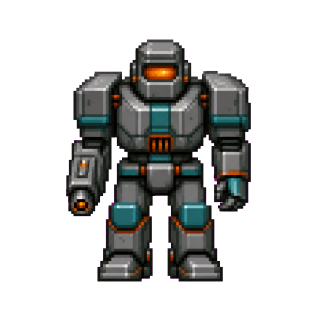
An autonomous sentinel pushes through steel bunkers, synth labs, amber vaults and reactor mazes in a chunky VGA first-person loop with original enemies and hands-free combat.
An autonomous monochrome snake collects food, grows and clears increasingly quick rounds inside an oversized classic mobile phone.
A cinematic command centre sends animated routes between shifting points on a world map. Every event and counter is generated for entertainment—never real threat intelligence.
A freshly generated cosmos of stars, distant galaxies and soft nebulae glides continuously from left to right, with no two skies quite the same.
Keep this hub bookmarked. Future Sleep Live Scenes will appear here automatically.
Mobile Gaming lets you broadcast a Sleep LIVE Scene by sharing your device screen. TikTok frequently changes its interface, so button positions or wording may differ slightly.
Open TikTok, tap +, then swipe through the camera options and look for LIVE. TikTok requires LIVE hosts to be at least 18, and regional follower requirements may apply. Mobile Gaming is an additional LIVE mode and may not be enabled even when ordinary camera LIVE is available.
Screen sharing may broadcast nearly everything visible on your phone—not only the Sleep LIVE Scene.
An upload speed around 5 Mbps is a sensible baseline, though a stable connection with low packet loss matters more than one speed-test result.
A broadcast indicator may appear around the clock, in the status area, Dynamic Island or Control Centre. Your entire screen may now be visible.
If TikTok is unresponsive, open Control Centre, stop the active screen broadcast, then return to TikTok and verify the LIVE ended.
Return to TikTok, tap the end control and confirm End LIVE. Alternatively, use Stop sharing in TikTok’s persistent notification, then return to TikTok and verify it ended.
Before an important broadcast, start a two- or three-minute Mobile Gaming LIVE and ask a trusted moderator or friend to check:
TikTok may not offer a genuinely private LIVE test, so assume viewers could discover it.
Your phone or tablet must remain awake throughout the broadcast. If it locks or the display turns off, your Sleep LIVE Scene may stop displaying correctly.
This is the simplest method for most Apple devices.
Your display will remain active until you manually lock it. Preventing Auto-Lock increases power use, so keep the device connected to power. Read Apple’s guidance.
Company or school device restrictions may also prevent Auto-Lock from being disabled.
Guided Access keeps the device in TikTok and can prevent accidental touches.
Triple-click the same button and authenticate to exit. Crash Detection and emergency calling are unavailable during an active Guided Access session. Read Apple’s guidance.
If your device only offers a maximum timeout of 10 or 30 minutes, use the charging method below.
The normal screen timeout applies again if power is disconnected. Read Android’s Developer Options guidance.
If you still cannot find it, search Settings for Build number, Developer options, Stay awake, Screen timeout or Sleep.
If Developer Options are unavailable, a reputable app such as Caffeine may temporarily override the timeout. Only install apps from Google Play, check their permissions and disable the feature after your LIVE. Do not grant accessibility, device-administrator or unrelated permissions solely to keep the screen awake.
Technically experienced users can connect a device with USB debugging enabled and set an approximately 24.8-day timeout:
adb shell settings put system screen_off_timeout 2147483647Restore a 10-minute timeout afterwards with:
adb shell settings put system screen_off_timeout 600000Some manufacturers may reset this value after restarting the device or changing display settings.
OLED displays may develop temporary image retention or permanent burn-in when the same bright graphics remain visible for extended periods.